Good stuff that tickles my brain: Password manager's linked field
I have just discovered Bitwarden's "Linked field" feature. It is fascinating to see good engineers come up with cool solutions.


Every once in a while I come across something in a computer program I have been using for a while, but didn't know before. Sometimes it is a feature that does something really difficult even to comprehend in a very well-designed way making the experience a lot smoother, and sometimes it is something really small but brilliantly smart.
Today I got my mind blown by Bitwarden's linked fields (I am using Vaultwarden, a lightweight alternative to Bitwarden that is a drop-in replacement, thank you for building it Daniel García). It is rather simple, but it is a very well designed solution to something I have been dealing with a pesky workaround.
For example, sign in form on Turkey E-Government Gateway turkiye.gov.tr has two fields; Turkish Republic ID number, and password. Browser plugin fills in the password automatically, but fails to fill in the ID input. Because since the password input has type="password" it is easier to detect it, but the ID input looks like this:
<input
  name="tridField"
  type="number"
  e-validate="tck"
  class="form-control"
  id="tridField"
  value=""
  autocomplete="off"
  maxlength="11"
  title="Kimlik numaranız 11 adet rakamdan oluşmalıdır"
  aria-label="T. C. Kimlik Numaranızı Girin"
  required=""
>
The field has type="number" and name="tridField", in cases like this it is not possible to detect the username field. The extension might try to guess, but I think it is best not to because there will surely be falsely filled inputs, and you know, this is credentials, sensitive information we are playing with here.
Previously: My workaround
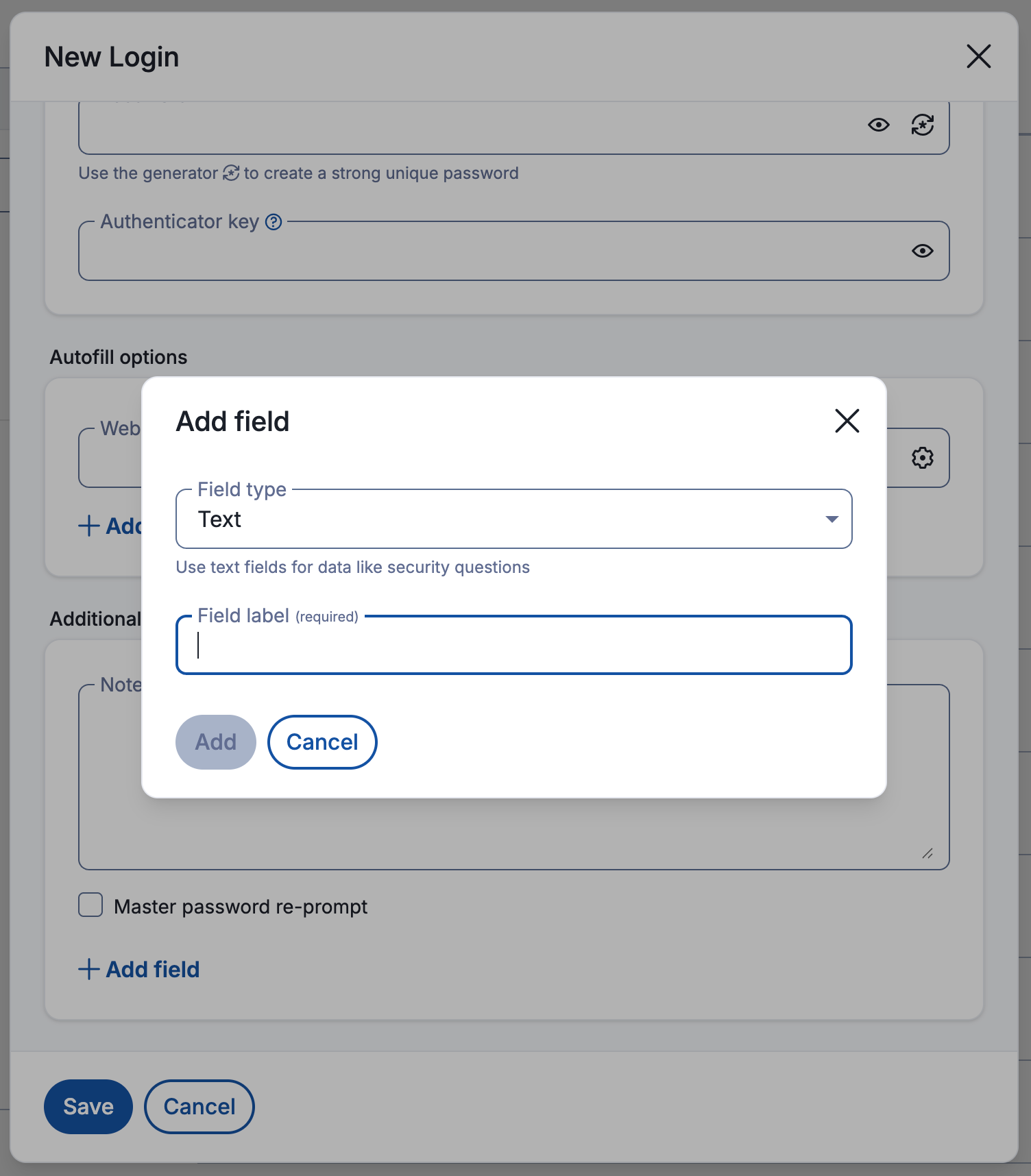
Implementation allows you to add custom fields in addition to the default username and password. And if you enter the name of the HTML input in "Field label" section, extension automatically fills that. This is my workaround. But it has a very fundamental flaw, you store multiple values for the same data. If you change the credential you store both in one of the default fields username and password, and in a custom field, you have to make sure to update it in both of these places. I wouldn't mind it, I actually didn't. But today I had to do something on the Turkey E-Government website, I was in a hurry and I couldn't sign in. It took me a while to understand I wasn't hacked or my citizen account wasn't somehow disabled; turns out I forgot to update the custom field, and the extension was using the previously used password for the autofill.
Turns out they already have this
Then playing around, I found this:
Just for this very specific case, there is a thing called "Linked field". It basically enables you to hint the extension to fill the input with username or the password, using input's id, name, aria-label or placeholder.
It is really fascinating that people at Bitwarden have come up with a really brilliant idea, a very simple design, and a really good implementation for this pretty specific little annoyance. Kudos!